
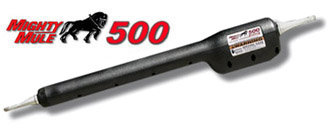
How do I identify which Mighty Mule gate opener model I currently have?
Identify your Mighty Mule opener by locating the product or serial label on the actuator arm, control box, or slide-operator housing, then match the model prefix exactly. Also confirm whether the system operates one or two gate leaves. Do not identify it from appearance, remote style, control-board color, or an accessory part number alone.
Start With the Product and Serial Labels
The most reliable identifier is the factory product label, not the logo molded into the housing. On many Mighty Mule swing-gate systems, the serial label is located on the back or underside of the opener arm, sometimes near the rear mounting point. On some older heavy-duty swing systems, the product-identification label is on the right side of the control box. Slide operators may carry the identification label on the control-box cover or operator enclosure.
Clean the label gently and record every character, including prefixes and suffixes. A serial number may begin with a recognizable model family, such as MM560- on an older swing system or SL2000- on a slide operator. The full label may also show voltage, operator class, certification information, and a manufacturing code. Photograph the complete label before disconnecting or replacing anything.
Confirm the Gate Type and Number of Leaves
Next, determine whether the operator is installed on a swing gate or slide gate. A swing operator normally uses a linear actuator arm between the gate post and gate frame. A slide operator uses a cabinet-style drive assembly, chain, and sprockets to move the gate sideways.
For current Mighty Mule swing families, paired model numbers commonly distinguish single- and dual-gate kits:
- MM271 is the single-gate version, while MM272 is the related dual-gate kit.
- MM371W is the single-gate version, while MM372W is the related dual-gate kit.
- MM571W is the single-gate version, while MM572W is the related dual-gate kit.
This naming pattern is useful, but it is not enough by itself. A dual system contains primary and secondary hardware, and a replacement arm or control box may carry a part number that does not equal the complete kit model. Count the gate leaves, trace both arm cables, and confirm which terminals are used before recording the system as a single or dual model.
Do Not Confuse a Replacement-Part Number With the Opener Model
Mighty Mule replacement parts often serve more than one operator model. A logic board may be used across MM371W, MM372W, MM571W, and MM572W systems. Likewise, an empty control box, transformer, mounting kit, receiver, or hardware package may cover several models. Finding one of those part numbers identifies a compatibility family, not necessarily the exact opener installed at the gate.
The same caution applies to actuator labels. A replacement arm number can identify the arm assembly while the complete system remains a different single- or dual-kit model. Record the operator label, control-board number, control-box configuration, and number of connected arms as separate pieces of evidence.
Use the Control Board Only as a Secondary Identifier
If the exterior label is missing, turn off all power before opening the control box and inspect the board without moving wiring. Record the board part number, revision, connector arrangement, terminal names, receiver style, and harness colors. Older Mighty Mule families may have board-generation differences, including versions commonly distinguished by board color or revised connector layouts.
Do not assume that two boards are interchangeable because they have the same shape. Firmware, charging circuits, operator outputs, accessory inputs, receiver architecture, and harness pinouts can differ. A board number can narrow the model family, but the operator manual and parts diagram should confirm the final match.
Technician’s Corner
Technical Field Note: Sun and Salt-Air Damage Can Erase the Evidence
South Florida ultraviolet exposure, humidity, corrosion, and salt air can fade labels or lift their edges. Photograph a partially readable label from several angles with side lighting. Do not scrape it aggressively; the remaining ink may contain the model prefix or date code needed to separate similar generations.
Technical Field Note: A Replaced Control Box May Not Match the Original Kit
When a complete loaded control box has been replaced, its board and enclosure may represent a newer service assembly shared by several models. In that situation, the arm serial label, number of gate leaves, cable configuration, and original mounting arrangement may identify the system more accurately than the replacement box.
Technical Field Note: Dual-Gate Identification Requires Both Sides
Inspect both actuator arms on a dual gate. The primary arm connects near the control box, while the secondary arm typically runs across or under the driveway. A secondary-arm label alone should not be used as the complete system model. Photograph both labels and the control-board terminals marked for primary and secondary operators.
Technical Field Note: Identification Comes Before Safety-Part Selection
Model identification is especially important when selecting photo eyes, edge sensors, receivers, locks, or control boards. Safety-input monitoring and accessory logic can vary by operator generation. Never bypass an entrapment-protection input merely to make an unverified replacement part operate.
Before You Match Mighty Mule Replacement Hardware
- Record the complete model and serial number from every readable factory label.
- Confirm swing versus slide operation and single versus dual gate leaves.
- Photograph the actuator arm, control box, board, terminal strip, and wiring harnesses.
- Record the board part number and revision without disconnecting wires unnecessarily.
- Note the battery voltage, transformer output rating, solar connection, receiver, and accessories.
- Compare the information with the correct operator manual and parts diagram.
Before selecting replacement hardware, verify the Mighty Mule model number, part number, voltage, receiver or transmitter frequency, connector type, control-board revision, and operator generation. Similar-looking arms, boards, transformers, and receivers may not be electrically or mechanically interchangeable.
Related Technical Categories
Mighty Mule Replacement Parts | Mighty Mule Control Boards | Swing Gate Operator Arms | Gate Opener Remotes and Receivers | Access Control Keypads | Gate Safety Devices | Solar Gate Opener Accessories

