
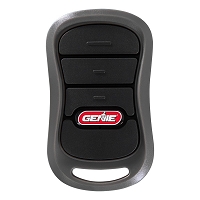
The receiver memory is full and will not accept another remote. Do I need to erase all remotes or upgrade the receiver?
If receiver memory is full, do not erase everything automatically. First confirm whether the receiver supports individual transmitter deletion. Erase all remotes only when you can reprogram every authorized remote afterward. Upgrade the receiver when the user count has outgrown the memory, older remotes are untracked, or individual access control is needed.
Why Receiver Memory Fills Up
Most gate and garage remote systems store transmitter credentials in receiver memory. Each remote, keypad, vehicle button, or programmed transmitter button may use a memory position depending on the receiver design. Once that capacity is full, the receiver may refuse to learn another transmitter even if the remote is fully compatible.
This is common on properties where remotes have been added over many years without removing old users. Family members, tenants, vendors, employees, service companies, lost remotes, sold vehicles, and replaced transmitters can all leave stored credentials behind. The receiver does not know which remotes are still valid unless the system is managed and cleaned up.
Do Not Erase All Remotes Until You Know the Consequences
Erasing all receiver memory can solve a full-memory problem, but it can also create a bigger access problem. A full memory clear may remove every handheld remote, wireless keypad, vehicle transmitter, or authorized accessory assigned to that receiver. After the erase, every approved device must be reprogrammed.
For a single-family driveway gate or garage opener, that may be manageable if all remotes are available. For a condo, HOA, apartment building, warehouse, employee entrance, or commercial gate, erasing all remotes without a user list can lock out authorized users and leave the property without a clean way to restore access.
Check for Individual Transmitter Deletion First
Some receivers allow individual transmitter deletion. This is the preferred path when the system tracks each remote separately. If a tenant moved out, an employee left, or a vendor no longer needs access, that specific credential can be removed without affecting everyone else.
Other receivers only allow a full memory erase. In that case, adding one more remote may require clearing the receiver and relearning every active transmitter. Before doing that, identify how many remotes are currently authorized, which users still need access, and whether every remote can be collected or reprogrammed.
When Erasing All Remotes Makes Sense
A full memory erase may make sense on a small private system where the owner has all active remotes in hand and wants to remove unknown or lost transmitters. It can also be useful after a property changes ownership, after several remotes are lost, or when there is no reliable record of who has access.
The key is planning. Record the receiver model, programming procedure, compatible remote family, and all remotes that should be added back. Confirm whether keypads or vehicle HomeLink-style buttons will need to be reprogrammed separately. Do not erase memory until the approved replacement remotes are available and verified compatible.
When a Receiver Upgrade Is the Better Choice
Upgrade the receiver when the property has outgrown the memory capacity, needs better user tracking, or requires individual add/delete control. A small receiver may be fine for a private gate with a few users, but it may be a poor fit for an apartment entrance, employee gate, commercial yard, or multi-tenant building.
A receiver upgrade may also be the better path when the existing receiver uses discontinued remotes, has poor range, has water damage, or cannot support the desired transmitter family. In that case, a new receiver and matching remotes can create a cleaner, better-documented access-control setup.
Technician’s Corner
Technical Field Note: Full Memory Can Look Like Incompatibility
A compatible remote may appear to be wrong if the receiver has no memory left. The receiver may enter learn mode, flash an LED, or time out without storing the transmitter. Always check memory status before assuming the remote is incorrect.
Technical Field Note: One Remote Button May Use One Memory Slot
Some multi-button transmitters and multi-channel receivers store button assignments separately. A three-button remote may not be just one credential in every system. Check the receiver manual before estimating remaining capacity.
Technical Field Note: South Florida Weather Can Push an Upgrade Decision
In Miami, Hialeah, Doral, Kendall, Homestead, Miramar, Fort Lauderdale, and coastal South Florida areas, heat, humidity, salt air, rain, insects, and lightning can damage receiver boards and antenna terminals. If the receiver is already full and unreliable, replacement may be more practical than clearing memory on aging hardware.
Technical Field Note: Shared Gates Need Credential Records
For condos, HOAs, apartments, warehouses, and commercial entrances, remote memory should be treated like an access credential list. If the system cannot identify and delete individual users, upgrading to a receiver or access-control method with better management may reduce future access problems.
Before You Choose a Replacement Part
- Identify the receiver brand, model number, frequency, and code family.
- Confirm the receiver memory capacity and current memory status.
- Check whether individual transmitters can be deleted.
- Confirm whether erasing memory removes remotes, keypads, and vehicle buttons.
- Count how many active users actually need access.
- Verify the remote model, button assignment, and programming method.
- For managed properties, confirm who is authorized to add or delete credentials.
- If upgrading, verify receiver voltage, relay output, channel count, terminal function, antenna type, and enclosure protection.
Gate Versus Garage Receiver Memory
Garage door openers often have built-in receiver memory on the logic board. Some systems require a full memory clear to remove old remotes, while others may offer accessory management through a wall console or connected platform. Always confirm the exact opener generation before clearing memory.
Gate systems are more varied. The receiver may be built into the gate operator, plugged into the board, mounted externally, or tied into an access-control system. If the gate serves multiple users, the receiver model and deletion method matter more than the gate operator brand.
Related Technical Categories
- Gate and Garage Remote Controls
- LiftMaster Remote Controls
- Gate Opener Receivers
- Garage Door Remote Controls
- Wireless Keypads
- Access Control Replacement Parts
Final Compatibility Advisory
Before clearing receiver memory or upgrading hardware, verify the receiver model, memory capacity, deletion method, remote part number, frequency, code family, button assignment, programming sequence, operator generation, and access-control rules. If receiver hardware is replaced, also verify voltage, relay type, connector style, terminal function, antenna location, and enclosure protection.
Tagged Products


