
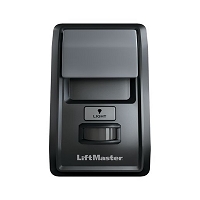
What information should I collect before ordering a replacement wall console or control panel?
Before ordering a replacement wall console or control panel, collect the complete operator model, manufacturing or serial range, installed control-board number, and original console part number. Also document the wiring type, conductor count, terminal labels, polarity, voltage, receiver details, mounting environment, and required functions. These details determine compatibility more reliably than appearance, brand, or wire color.
Start With the Complete Operator Identification
Record the full model number from the gate, garage door, or commercial door operator. Do not rely on a shortened family name or the appearance of the housing. Operators within the same product family can use different wall controls as electronics, safety requirements, and communication methods change between production generations.
Also record the serial number, manufacturing date, or production range when available. These details can separate early and late versions of the same model. Photograph the model label, the control-board label, the wall console, and the terminal block before disconnecting anything.
Identify the Control Board Actually Installed
The operator model identifies the original system, but the installed control board often determines present wall-console compatibility. An older operator may contain a superseded board, conversion kit, updated harness, or later receiver assembly. The correct replacement may therefore follow the installed board rather than the accessory originally supplied with the operator.
Record the board part number, revision, firmware marking when visible, connector arrangement, and any conversion labels. Note whether adapters, jumpers, interface modules, or replacement harnesses are already installed. Two boards that fit the same operator housing may support different wall controls or terminal logic.
Find the Original Wall-Control Part Number
Look behind the wall plate, inside the enclosure, on the circuit board, or on the original instruction sheet for a part number. Also record every visible model, revision, and date code. A matching faceplate does not confirm matching electronics.
Determine whether the existing device is a basic push button, multifunction digital console, wireless wall control, three-button station, key switch, selector station, or main control panel. The term “control panel” is sometimes used for a wall-mounted user interface and sometimes for the operator’s main electronic controller. Confirm which assembly is actually being replaced.
Document the Wiring and Terminal Functions
Photograph the wiring before removing the old control. Label each conductor by terminal function rather than color alone. Useful information includes:
- the total number of connected and unused conductors;
- terminal markings such as OPEN, CLOSE, STOP, COMMON, SBC, W, or other designations;
- wire polarity or striped-versus-solid orientation;
- connector style, plug shape, screw terminals, or push-in terminals;
- normally open or normally closed contact requirements;
- momentary, maintained, or constant-pressure operation;
- wire gauge, approximate run length, and visible splice locations.
A two-wire control may be a simple dry-contact button or a powered digital communication device. A three-button station may require three, four, or more conductors depending on its stop logic, illumination, lockout, and status functions. Wire count alone is not enough.
Confirm Voltage and Power Requirements
Record any voltage printed on the console, station, board terminal block, transformer, or accessory-power output. Note whether the requirement is AC or DC and whether polarity matters. A dry-contact command input normally expects an isolated switch and should not receive external voltage unless the operator manual specifically calls for it.
Illuminated buttons, displays, motion sensors, and electronic consoles may need separate power. Confirm the required voltage, available accessory current, and whether lighting conductors are separate from the command contacts. A station can illuminate correctly while remaining incompatible with the operator’s command circuit.
Record Receiver Information for Wireless Controls
For a wireless wall console, identify the receiver currently controlling the operator. Record the receiver model, frequency, code family, programming method, learn-button characteristics, and whether the receiver is built into the board or installed as an external accessory.
Do not assume the wireless control must match the operator’s original radio. A retrofit receiver may have replaced or bypassed the factory receiver. Also confirm available receiver memory and the number of required channels when one wall control must operate more than one gate or door.
List Every Function the Replacement Must Provide
Write down the functions used on the current station and the features expected from the replacement. These may include:
- single-button open-stop-close cycling;
- separate OPEN, CLOSE, and STOP commands;
- opener light control;
- remote or keypad lockout;
- motion-activated lighting;
- timer or programming functions;
- hold-open or maintained control;
- multiple operator or zone selection;
- status lights, alarms, or door-position indication.
A higher-feature console cannot add functions that the installed board does not support. Conversely, replacing a multifunction console with a basic button may preserve movement while eliminating light, lock, programming, diagnostic, or timer functions.
Check the Mounting Environment
Record whether the station is mounted indoors, outdoors, on a gate post, in a guard booth, on a commercial wall, or in a washdown area. Note the mounting-box dimensions, surface or flush mounting, conduit entry, screw spacing, and available depth.
Exterior controls require an enclosure and cable-entry arrangement suitable for the environment. In South Florida, humidity, salt air, wind-driven rain, insects, lightning exposure, and water inside conduit can damage terminals and electronic consoles. A compatible indoor control is not automatically suitable for an exposed gate location.
Technician’s Corner
The Board Number Can Be More Important Than the Operator Age
An operator may be decades old while its control board is relatively new. Ordering only by the operator’s approximate age can lead to a console from the wrong electronics generation. Photograph both labels and any board-conversion wiring.
Unused Conductors Are Worth Documenting
Extra wires in the existing cable may support a four-wire station, illumination, or a future function. Confirm continuity before depending on them. A conductor that is present at the wall may be cut, spliced, or unconnected at the operator.
A Working Remote Does Not Prove the Wall Input Is Compatible
The receiver and wall station may use separate board inputs. Reliable remote operation confirms that the operator responds to one command path, but it does not identify the required wall-console protocol or clear the field wiring.
Do Not Reuse a Damaged Cable With New Electronics
A shorted conductor, wet splice, or externally powered accessory can reproduce the original failure and may damage a replacement input. Inspect or isolate the wall-control cable before connecting a new board or console.
Before You Choose a Replacement Part
- Complete operator model, serial number, and manufacturing range
- Installed control-board part number and revision
- Original wall-console or station part number
- Clear photographs of labels, terminals, connectors, and wiring
- Dry-contact, digital, or wireless interface type
- Conductor count, gauge, polarity, and approximate cable length
- NO/NC logic and momentary, maintained, or constant-pressure behavior
- Voltage, AC/DC requirement, and accessory-power capacity
- Receiver model, frequency, code family, and channel count when wireless
- Required functions, mounting style, and indoor or outdoor environment
Related Technical Categories
- Wall Consoles and Control Panels
- Commercial Door Three-Button Stations
- Gate Operator Control Stations
- Control Boards and Logic Boards
- Receivers and Wireless Controls
- Low-Voltage Wire and Connectors
Parts-selection advisory: Verify the operator model number, installed control-board part number, original console number, voltage, wireless frequency when applicable, connector type, conductor count, polarity, contact logic, enclosure rating, and operator generation before selecting replacement hardware.
Tagged Products


