
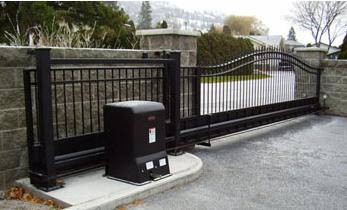
My slide gate opens but will not close. Is the problem the photo eyes, loop detector, limits, or control board?
When a slide gate opens but will not close, first check for an active close-safety or hold-open input before replacing the control board. A blocked or misaligned photo eye, an active reverse loop, a maintained open command, or an incorrect limit state can prevent closing. Use the operator's diagnostic LEDs, display, or error history to identify which input is active.
Start With the Control Board Diagnostics
The fact that the gate opens proves that the operator has power and can produce movement. Many controllers intentionally refuse a close command when they see an active safety device, vehicle-presence input, maintained open command, or invalid limit state.
Check the exact operator manual and identify the input LEDs, diagnostic display, or fault history. Look for an active CLOSE EYE, CLOSE EDGE, INTERRUPT, REVERSE LOOP, OPEN, RADIO OPEN, STOP, or limit indication. Terminal names and logic vary by manufacturer and board generation.
Technical Field Note: The board may be doing exactly what it was told to do
A gate held open by an active input can look like a failed board. Determine whether the controller is receiving a continuous signal from a keypad, receiver, telephone entry relay, loop detector, photo eye, or damaged field wire. A new board will not correct a maintained external command.
Photo Eyes Are a Common Close-Inhibit Problem
A close-direction monitored photo eye can prevent closing when the beam is blocked, the sensor is misaligned, power is missing, or the monitoring circuit is not recognized. Depending on the operator, the fault may block automatic closing or reject a normal close command.
Remove vegetation, insects, and debris from the sensor face and beam path. Check the indicator LEDs according to the sensor instructions, then inspect brackets, connectors, and low-voltage wiring.
Technical Field Note: Rain and heat can create an intermittent alignment fault
In South Florida, a photo eye can work in the morning and fail after heavy rain, heat expansion, or movement of a corroded bracket. Water in a splice or junction point and a shifting mounting post can also create intermittent close faults. Diagnose alignment, wiring, and mounting before blaming the control board.
A Reverse Loop or Loop Detector Can Hold the Gate Open
A reverse or safety loop is commonly used to inhibit closing while a vehicle is present. If the detector remains in detect, the board may continue to see vehicle presence and hold the gate open.
Check the detector's detect and fault indicators with vehicles and large metal objects removed from the loop area. If detection remains active, investigate the detector, loop circuit, lead-in wire, splice, and field wiring.
Moisture in a splice, damaged insulation, pavement movement, nearby reinforcement steel, or detector sensitivity can create false detection. Diagnostic methods vary by detector type.
Technical Field Note: A bad loop can imitate a valid safety command
From the board's point of view, a detector output held active may look like a vehicle sitting in the gate path. The controller responds to the electrical input; it cannot inspect the driveway. Check loop and input LEDs before condemning the board.
Check for a Maintained Open Command
A receiver, keypad, telephone entry system, timer, access controller, fire input, or stuck push button can hold an open input active. A continuously illuminated open-input LED is an important clue.
A failed relay, wet cable, shorted field wire, wrong normally open or normally closed connection, or programming change can maintain the command after the gate opens.
Follow the operator manual when isolating external controls. Do not randomly jumper terminals. Stop circuits and monitored safety inputs may use normally closed or supervised logic, and an incorrect jumper can create an unsafe condition or an additional fault.
Limit Problems Can Confuse the Gate's Position Logic
Limits tell the controller where the gate is in its travel. Operators may use mechanical switches, magnetic sensors, encoders, position sensors, or electronically learned travel.
If the open limit remains active after the gate moves away from the open position, both limits appear active, or a position sensor is not recognized, the controller may block or misinterpret a close command. Inspect limit flags, nuts, cams, magnets, wiring, connectors, and indicators according to the exact operator design.
Before adjusting limits, confirm that the physical gate position agrees with what the controller reports.
What if the Gate Starts Closing and Then Reopens?
That is a different symptom from a gate that never attempts to close. If the gate starts closing and then stops or reverses, watch the diagnostics during movement. A photo eye, sensing edge, reverse loop, inherent obstruction system, or mechanical drag may be activating only after the close cycle begins.
Following the manual and with the gate secured, inspect mechanical travel. Track debris, worn wheels, tight guides, chain problems, rack misalignment, or cantilever sag can increase resistance and trigger obstruction logic.
When Does the Control Board Become a Stronger Suspect?
The board moves higher on the suspect list when its LEDs or display do not agree with the actual field inputs, a known compatible sensor with correct wiring is not recognized, an input remains active after the field circuit is properly isolated according to the manual, or the board shows visible surge, corrosion, or component damage.
Storm and lightning exposure also deserve attention in South Florida. A surge can damage the board and an external accessory in the same event, so inspect accessory power outputs, terminals, and connected devices.
Before You Replace a Part
- Record the exact operator model and control-board part number or revision.
- Read the input LEDs, display message, and stored fault history if available.
- Check close-direction monitored photo eyes and sensing edges.
- Check reverse, safety, and presence loop detector indicators.
- Look for a maintained OPEN, RADIO OPEN, FIRE, or other access input.
- Confirm that limit status matches the gate's physical position.
- Inspect field wiring for water, corrosion, shorts, loose terminals, and damaged cable.
- Check gate travel for drag if the gate starts closing and reverses.
- Verify voltage, connector type, monitored-device logic, and board generation before replacement.
Technician's Corner
For an opens-but-will-not-close complaint, ask first: what input does the controller believe is active?
If a close photo eye is faulted, a reverse loop is detecting continuously, or an open relay is maintained, the board may be correctly holding the gate open. If limit status is impossible or an input remains active after proper manual-based isolation, the controller, harness, or input circuitry becomes more suspect.
Do not permanently bypass monitored photo eyes, sensing edges, or other required entrapment protection to force the gate closed. Match the exact sensor, detector, limit hardware, harness, or control board to the operator model and generation before replacement.
Related Technical Categories
Slide Gate Openers
Gate Opener Circuit Boards
Gate Opener Replacement Parts
Gate Safety Devices and Photo Eyes
Vehicle Detectors and Loop Detectors
Before selecting replacement hardware, verify the model number, part number, voltage, frequency, connector or terminal type, monitored input logic, limit system, and operator generation. Two boards, photo eyes, loop detectors, or limit assemblies that look similar may not be electrically or logically interchangeable.
