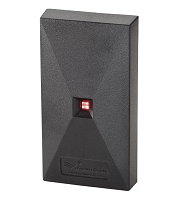
What is the difference between 125 kHz proximity readers and 13.56 MHz smart-card readers?
A 125 kHz proximity reader usually reads a fixed identifier from a legacy low-frequency card or fob. A 13.56 MHz smart-card reader can support memory, encrypted applications, and stronger credential authentication, depending on the card family. Neither frequency is universal; the reader, credential technology, data format, controller interface, and security keys must all match.
125 kHz Readers Are Commonly Used for Legacy Proximity Credentials
A 125 kHz proximity system uses low-frequency radio communication between the reader and a passive card, fob, or tag. In many traditional access-control systems, the credential presents a programmed identifier containing information such as a facility code and card number. The reader converts that information into a format the access controller can process.
These systems remain common because they are familiar, relatively simple, and supported by many existing gate controllers and telephone entry systems. They can be appropriate when maintaining an established credential population is more important than adding new security or multi-application features.
However, “125 kHz” describes only the radio frequency. It does not identify the credential family. HID Prox, Indala, AWID, EM-format credentials, and other low-frequency technologies are not automatically interchangeable. A reader must explicitly support the credential technology and output the data format expected by the controller.
13.56 MHz Readers Can Support Smart-Card Functions
A 13.56 MHz reader operates in the high-frequency contactless range commonly used by smart-card technologies. Depending on the credential family, a smart card can contain memory, multiple application areas, protected files, encryption keys, and logic that participates in authentication instead of merely transmitting a static identifier.
Common 13.56 MHz families include iCLASS, Seos, MIFARE Classic, MIFARE DESFire, and other ISO-based technologies. These names are not interchangeable. A reader that supports one family may not support another, and a multi-technology reader may require a specific configuration profile or security key before it can read the intended access-control application.
Smart credentials can also support uses beyond gate access, such as time and attendance, logical access, cashless applications, or mobile credential migration. Whether those features are available depends on the complete reader, card, controller, software, and key-management ecosystem.
The Main Difference Is Credential Security and Data Capability
Many legacy 125 kHz credentials transmit an identifier without the cryptographic challenge-and-response protections available in modern secure smart-card platforms. This generally makes older proximity technology less resistant to unauthorized duplication than a properly configured secure 13.56 MHz credential.
That does not mean every 13.56 MHz card is equally secure. Some older smart-card technologies, basic serial-number applications, or readers configured to output only a public UID may not provide the security expected from a current encrypted credential. The exact card family, security profile, keys, reader configuration, and controller connection determine the actual protection level.
Card Security and Reader Wiring Are Separate Issues
The communication between the credential and reader is different from the communication between the reader and access controller. A secure 13.56 MHz reader can still be connected to a controller through an older Wiegand interface. Wiegand commonly sends one-way Data 0 and Data 1 signals and does not, by itself, provide the bidirectional supervision or encrypted reader-channel capability available through OSDP Secure Channel.
Therefore, upgrading from 125 kHz cards to secure smart cards does not automatically secure the reader cable. A complete security upgrade may require compatible credentials, readers, controller ports, OSDP programming, RS-485 wiring, reader addressing, termination, and Secure Channel commissioning.
Read Range Is Not Determined by Frequency Alone
125 kHz readers are often associated with practical read range for traditional cards, especially when a larger reader and full-size credential are used. However, actual range depends on reader antenna size, credential antenna size, orientation, supply voltage, interference, and mounting conditions.
13.56 MHz systems can also provide useful read range, but card and reader design remain critical. Small key fobs typically read at a shorter distance than full-size cards. Mounting either type of reader directly to steel, aluminum, or a metal gooseneck can detune the antenna and reduce performance. A manufacturer-approved spacer or suitable mounting arrangement may be required.
Replacement Compatibility Requires More Than Matching Frequency
A new reader must support the existing credential family and must send usable data to the access controller. Verify the credential format, facility code, card-number range, parity structure, UID or secured-application behavior, voltage, current draw, and reader output protocol.
A 13.56 MHz reader can beep when presented with a card yet still be incompatible because it reads the wrong application, lacks the correct keys, or outputs a different number than the controller has enrolled. Likewise, a 125 kHz multi-protocol reader may recognize several credential families but require configuration before it outputs the expected format.
Migration Readers Can Support Both Technologies
Multi-technology readers can support selected 125 kHz and 13.56 MHz credentials, allowing an existing property to introduce newer smart credentials without immediately removing every legacy card. Dual-technology credentials can also contain both a low-frequency and high-frequency component for phased upgrades.
A migration plan should specify which credential families remain active, how new credentials will be enrolled, whether the existing controller accepts the required data formats, and when legacy support will be disabled. Leaving low-frequency compatibility permanently enabled may preserve the weakest credential path, so the final security policy matters as much as the hardware.
Technician’s Corner
Technical Field Note: A reader beep proves detection only. It does not confirm that the controller received the same facility code and card number stored in its database.
Technical Field Note: Two readers labeled 13.56 MHz may support completely different card families, keys, and output profiles. Match the full model and configuration, not only the frequency.
Technical Field Note: At vehicle gates, test actual cards and fobs from the normal driver position. Metal pedestals, reader angle, window coatings, and credential orientation can change usable range.
Technical Field Note: South Florida heat, humidity, salt-air corrosion, condensation, and lightning exposure can produce voltage drop or communication faults that resemble credential incompatibility.
Before You Choose a Reader or Credential
- Identify the exact credential manufacturer, family, part number, and frequency.
- Confirm the facility code, card number, bit format, and encryption profile.
- Verify whether the controller uses Wiegand, OSDP, or a proprietary interface.
- Check reader voltage, peak current, cable requirements, and mounting surface.
- Determine whether existing cards must remain active during a phased migration.
- Test the proposed reader with actual enrolled cards and fobs before full conversion.
Related Technical Categories
- 125 kHz Proximity Readers
- 13.56 MHz Smart-Card Readers
- Access Control Cards and Key Fobs
- Multi-Technology Readers
- Gate Access Controllers
- Access Control Power Supplies
Before selecting replacement hardware, verify the reader model, credential part number, frequency, technology family, facility code, bit format, security keys, output protocol, voltage, current draw, wiring, connector type, firmware, and controller generation. Visually similar readers or credentials may not be electrically or logically interchangeable.
Tagged Products