
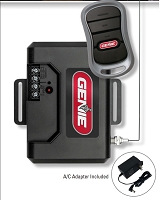
Do I have to erase every remote when adding or replacing a gate receiver?
No. Adding a remote to an existing gate receiver normally does not require erasing every programmed remote if memory space is available. Replacing the receiver is different: compatible remotes usually must be programmed into the new receiver because stored memory does not automatically transfer. Individual deletion, channel erase, and all-memory erase procedures depend on the exact receiver model.
Adding One Remote Is Not the Same as Replacing the Receiver
When you add a compatible remote to an existing learned-code receiver, the receiver usually stores the new transmitter in an available memory position. The remotes already in memory remain programmed unless the receiver instructions specifically call for an erase procedure.
For example, Linear MGR and MGR-2 MegaCode receivers are programmed one transmitter at a time. The receiver program button is pressed, then the desired transmitter button is activated while the programming LED is on. Additional transmitters are added by repeating the procedure. Erasing memory is a separate function.
This is why holding a learn or program button longer than instructed can create a larger problem than the original programming issue. On some receivers, a brief press starts learn mode while a longer hold erases stored transmitter memory.
Replacing the Receiver Usually Means Reprogramming Compatible Remotes
A replacement receiver starts with its own memory. Even when the existing remotes are radio-compatible with the new receiver, the transmitter codes stored in the old receiver normally do not appear automatically in the replacement.
You generally do not need to erase every remote first. Install and configure the compatible replacement receiver, then enroll the remotes that should remain authorized according to its programming procedure.
This distinction matters at an HOA, rental property, warehouse, or other multi-user gate. The old receiver may know dozens or hundreds of transmitter codes. Unless the receiver family provides a documented memory-transfer feature, those users must be accounted for and re-entered into the replacement receiver.
The LiftMaster STAR1000 is an example of a receiver platform with a removable backup memory module intended to preserve programmed receiver settings and update another compatible radio. That is a model-specific feature. A basic external receiver should not be assumed to transfer its remote database.
Some Receivers Can Delete One Remote; Others Erase Everything
Receiver memory management varies widely. DoorKing's 8057 MicroClik receiver can add or delete individual transmitter codes and can also handle transmitter codes in groups. LiftMaster's STAR1000 supports individual remote deletion and reuses the available memory position.
Simpler learned-code receivers may not provide individual deletion. The Linear MGR and MGR-2 instructions specify an erase procedure that clears all transmitters from the selected receiver memory. After that erase, the required remotes must be programmed again.
The Linear MGR-2 uses separate channel programming. Its instructions warn that holding the selected channel's program button long enough triggers an erase of that channel's receiver memory. The exact channel being used matters before an erase procedure is started.
There is no universal learn-button erase rule for every gate receiver. Identify the exact receiver model before pressing and holding any programming control.
Technician's Corner
Technical Field Note: Photograph the Receiver Before You Touch the Learn Button
Record the receiver model, channel wiring, learn-button labels, and indicator LEDs before programming. A cabinet can contain an old disabled receiver, a newer external receiver, and an integrated board radio at the same time. Erasing the wrong radio may disable unrelated remotes.
Technical Field Note: An Old Receiver Can Keep Old Remotes Active
Replacing a receiver does not revoke old transmitters if the old receiver remains powered and connected to a valid OPEN or CYCLE input. If the goal is to retire lost or former-user remotes, verify that the old radio path is actually disabled or disconnected according to the operator documentation.
Technical Field Note: Multi-Channel Memory Can Create Partial Access Problems
A receiver may use separate channels for different gates or OPEN, CLOSE, and STOP functions. Erasing one channel may not erase the others on hardware with separate channel memories. Document which remote button controls which channel before clearing anything.
Technical Field Note: South Florida Corrosion Can Make Programming Look Unreliable
Humidity, salt air, and storm moisture can create intermittent receiver power or poor antenna connections. If learn mode starts and stops unpredictably, verify the receiver's power and physical condition before assuming its memory needs to be erased.
What If the Receiver Memory Is Full?
A full receiver is one situation where deletion or memory clearing may be necessary. Existing remotes may continue to work while the receiver refuses to accept another transmitter.
Linear's MGR and MGR-2 receivers store up to 40 transmitters. Their instructions state that the programming LED will not come on for another transmitter when memory is full. Because the documented erase function clears all transmitters, count the active remote population before memory is erased.
Other receiver systems allow one unused or lost credential to be deleted without affecting every user. That is usually the cleaner approach when individual deletion is available. For larger properties, receiver capacity and credential-management features should be considered before repeatedly clearing a small receiver and rebuilding its remote list.
What Should I Do Before Replacing a Receiver?
First identify the existing receiver and every remote family currently in use. Record exact transmitter part numbers, frequency, code format, and radio generation. Confirm the proposed receiver supports the remotes you intend to keep.
Then count active transmitters and document button functions. A multi-button remote may control more than one gate or receiver channel. Include management, tenant, employee, maintenance, and spare remotes in the count.
Finally, determine how the old receiver manages memory. Does it support individual deletion, channel-specific erase, complete erase only, block programming, or a documented backup-memory transfer? That answer determines whether the remote population can be preserved, selectively cleaned up, or must be re-enrolled.
Before You Choose a Replacement Part
- Record the existing receiver manufacturer, model, and part number.
- Record the gate operator model and control-board generation.
- Identify every remote part number that should remain active.
- Verify frequency, code format, and radio generation.
- Check receiver memory capacity and current transmitter count.
- Determine whether individual remote deletion is supported.
- Verify whether the erase procedure clears one channel or all receiver memory.
- Document each remote button and receiver channel assignment.
- Check for a supported backup or memory-transfer feature.
- Confirm the old receiver will not remain active unintentionally.
- Verify receiver voltage, connector or antenna type, relay output, and operator control input.
Related Technical Categories
LiftMaster 850LM Security+ 2.0 Receiver
LiftMaster STAR1000 Commercial Receiver
Final Compatibility Advisory
You do not automatically have to erase every remote when adding a transmitter or replacing a gate receiver. The correct procedure depends on the receiver's memory design and whether the old remotes are compatible with the replacement radio platform. Verify the operator model number, receiver and remote part numbers, voltage, frequency, code format, connector or antenna type, channel assignment, memory capacity, deletion method, and operator generation before clearing or replacing receiver hardware.
