
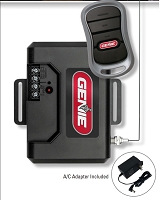
Can I remove a lost or stolen gate remote from the receiver without deleting every transmitter?
Yes, sometimes. A lost or stolen gate remote can be removed without deleting every transmitter when the receiver supports individual credential deletion and the specific remote can be identified by transmitter ID, code, or stored record. Simpler receivers may only support a complete memory erase, requiring all authorized remotes to be programmed again afterward.
The Receiver's Memory System Determines the Answer
Gate receivers do not all manage remotes the same way. A basic learned-code receiver may simply store transmitter codes until its memory is full. A commercial access receiver may store an individual transmitter number for every user and provide functions to add, block, suspend, or delete one credential.
That difference becomes important when a remote is lost or stolen. If the receiver supports individual transmitter deletion and you know the credential assigned to the missing remote, that single code may be removed while the other programmed transmitters remain active.
If the receiver only provides an all-memory erase function, removing one lost remote may require clearing the complete transmitter memory and programming every authorized remote again.
Do not assume the deletion procedure based on the gate operator brand. The active radio receiver may be external, integrated into the control board, or installed as a separate access-control receiver. Identify the exact receiver model first.
Selective Deletion Requires Identifying the Lost Remote
A receiver can only delete the correct credential when the system has a way to identify it. Depending on the receiver family, that may be a transmitter ID, five-digit transmitter code, memory position, credential number, or another stored identifier.
DoorKing 8057 MicroClik receivers, for example, use unique transmitter codes and provide programming functions to add or delete transmitter codes individually. The transmitter code is identified on the transmitter. If that code was recorded when the remote was issued, a specific lost credential can be targeted.
The problem is different when the physical remote is gone and no transmitter record was kept. A receiver may technically support individual deletion, but you still need to determine which stored credential belongs to the missing transmitter.
Some receiver or integrated operator systems allow stored transmitter ID numbers to be reviewed on a display and selected for deletion. Other systems provide less memory visibility. The exact receiver programming design determines whether an unknown lost remote can be isolated without clearing the rest of the transmitter population.
Do Not Confuse Facility Code With Transmitter Code
Managed gate receiver systems may evaluate more than one credential value. A facility code can identify a group or system configuration, while an individual transmitter code identifies a particular remote. Some receivers also evaluate which transmitter button is authorized to operate the relay.
For a lost remote, record-level deletion should be based on the exact receiver programming logic. Do not assume that changing a facility code, receiver channel, or button setting is equivalent to deleting one transmitter.
Changing group-level programming can affect additional users. When selective removal is available, the goal is to revoke the individual credential assigned to the missing remote while preserving unrelated authorized transmitters.
Technician's Corner
Technical Field Note: Record the Transmitter ID Before the Remote Is Lost
The best time to document a remote is when it is issued. For an HOA, rental property, warehouse, shop, or small business, record the transmitter ID or code, remote part number, user or vehicle assignment, receiver, and button function. A receiver with individual deletion is much more useful when the credential records identify the remote that needs to be removed.
Technical Field Note: The Lost Remote Does Not Need a Working Battery to Remain a Credential
A dead battery does not remove a programmed transmitter from receiver memory. If the remote is later fitted with a battery or otherwise becomes operational, the receiver may still recognize its stored code. Credential revocation happens in the receiver or access-control memory, not by waiting for the remote battery to fail.
Technical Field Note: Channel Assignments Matter
Multi-channel receivers can use different buttons or channels for Gate 1, Gate 2, OPEN, CLOSE, or another supported function. Before deleting stored transmitter information, document the channel and button arrangement. An erase procedure on one receiver family may apply to selected channel memory, while another system manages the transmitter as one credential across its programmed functions.
Technical Field Note: South Florida Cabinets Often Contain More Than One Radio System
Older gate installations may contain a factory receiver, a later external receiver, and a newer access-control radio in the same operator cabinet. Humidity, salt air, faded labels, and years of wiring changes can make the active receiver difficult to identify. Trace the receiver relay or control connection before deleting memory. Erasing a disconnected old receiver does nothing to revoke the remote from the radio actually operating the gate.
Some Receivers Only Support an All-Transmitter Erase
Simple learned-code receivers may not provide a way to select one stored transmitter. Linear MGR and MGR-2 MegaCode receiver instructions, for example, document an erase procedure that removes all transmitters from the selected receiver memory.
In that type of system, a lost transmitter cannot simply be selected from a credential list. If the missing remote must be revoked, the practical programming path may be to erase the applicable receiver memory and re-enroll only the transmitters that should remain authorized.
Before doing that, physically account for the active remotes. Include property management transmitters, tenant remotes, employee remotes, maintenance credentials, vehicle transmitters, and spares. An all-memory erase can immediately disable every authorized user until the remotes are programmed again.
Never hold a Learn or Program button for an extended period based on a generic internet procedure. On some receivers, a short button press enters learn mode while a longer hold initiates an erase function. Use the exact instructions for the receiver part number.
What If the Remote Was Stolen and Access Needs to Be Revoked?
If the receiver supports individual deletion and the stolen transmitter ID is known, remove that exact credential according to the receiver's documented procedure. Managed receiver platforms may also provide a block or suspend function that can restrict a credential without immediately deleting its memory record.
If the receiver cannot individually delete the lost remote, a complete memory erase and controlled re-enrollment may be required to ensure the stolen transmitter is no longer authorized.
Also inspect the radio arrangement when a receiver has recently been upgraded. A new receiver does not automatically deactivate the old receiver. If the original receiver remains powered and connected to a valid RADIO OPEN, OPEN, or CYCLE input, the stolen remote may still operate the gate through the old radio system.
That is a different problem from deleting the transmitter from the new receiver. Identify every active radio path connected to the operator.
Should I Replace the Receiver Just to Remove One Remote?
Not automatically. First determine what the existing receiver can do. A receiver with individual credential management may already provide the required deletion function.
For a small receiver that only supports complete memory erase, clearing and reprogramming a few authorized remotes may be practical. For a property with a growing transmitter population, repeated lost-remote problems can expose the limits of a basic receiver.
High-capacity receiver platforms such as the LiftMaster STAR1000 Commercial Receiver provide individual remote management for compatible radio systems. That does not make STAR1000 a direct replacement for every receiver. Radio family, compatible remotes, voltage, relay output, antenna arrangement, and operator input still need to be verified.
Before You Remove a Lost Remote
- Identify the active receiver manufacturer and exact model number.
- Record the gate operator model and control-board generation.
- Determine whether the receiver supports individual transmitter deletion.
- Find the lost remote's transmitter ID, code, or stored credential record.
- Verify the remote part number, frequency, and code family.
- Check whether the credential is assigned to a specific receiver channel or button.
- Determine whether the receiver supports blocking, suspension, individual deletion, or all-memory erase only.
- Count every active transmitter before performing a complete erase.
- Document which authorized remotes are physically available for re-enrollment.
- Check for an older receiver that may still be powered and connected to the operator.
Related Technical Categories
LiftMaster STAR1000 Commercial Receiver
Gate Remote Compatibility Guide
Final Compatibility Advisory
A lost or stolen gate remote can sometimes be removed without deleting every transmitter, but the deletion capability and required credential information are receiver-specific. Before clearing memory or changing hardware, verify the operator model number, receiver part number, remote part number, voltage, frequency, code format, connector or antenna type, transmitter ID, channel assignment, deletion method, and operator generation. Never assume an individual remote can be selectively removed unless the receiver documentation supports that memory function.
