
Can a pinched, stapled, corroded, or moisture-damaged control wire cause random operation or false commands?
Yes. Damaged low-voltage control wiring can create random operation, false opening commands, intermittent stops, or a gate that refuses to close. A pinched conductor, staple through the insulation, corroded splice, or moisture path can imitate a switch closure or hold an input active. The operator and control board may be working correctly while reacting to a bad field circuit.
How a Damaged Wire Creates a False Command
Many wall buttons, key switches, receivers, and access-control relays operate through a low-voltage dry-contact input. The control board monitors a command terminal and common. When a normally open button is pressed, the two points connect briefly and the board starts the programmed open, close, or single-button sequence.
If damaged insulation allows the conductors to touch, the board cannot distinguish that accidental short from a legitimate button press. Depending on the operator state, the false closure may open a closed gate or door, stop movement, reverse the next cycle, hold an OPEN input active, or repeatedly reset an automatic-close timer.
Pinched and Stapled Cable Can Fail Intermittently
Low-voltage cable is easily damaged by a staple driven too tightly, a cabinet screw, a sharp metal edge, a crushed conduit fitting, or cable routed near moving door and gate hardware. The insulation may be cut without producing a permanent short. Vibration, temperature changes, or movement of the wall plate can bring the conductors together only occasionally.
This explains why a system may operate normally for days and then open unexpectedly. The same cable may also create intermittent command loss if a conductor has only a few unbroken strands remaining. A stationary continuity check can miss a fault that appears only when the cable flexes.
Corrosion Can Create Resistance or Conductive Bridging
Corrosion does not always create a clean open circuit. Oxidized copper and loose terminals can add resistance, causing a command to register only sometimes. Green copper deposits, rust, salt residue, and contaminated terminal blocks can also bridge adjacent conductors and create electrical leakage.
An illuminated station may continue to light through a high-resistance connection while its command contact becomes unreliable. Power at the console therefore does not prove that the command wiring is healthy.
Moisture Can Cause Commands Without a Solid Short
Water inside a wall box, exterior station, junction enclosure, or underground conduit can create a partial conductive path between low-voltage terminals. The resistance may change with rainfall, humidity, temperature, and contamination inside the enclosure.
In South Florida, wind-driven rain, condensation, salt air, fertilizer residue, insects, and water-filled conduit can make the symptom weather dependent. A gate may open randomly after a storm, remain reliable when the enclosure dries, and fail again during the next wet period.
The Symptom Depends on Which Input Is Affected
- OPEN or single-button input: may trigger an unexpected opening or stop-start sequence.
- Maintained OPEN input: may hold a gate open or keep resetting the close timer.
- CLOSE input: may command unwanted closing if the operator logic permits it.
- Normally closed STOP circuit: may cause intermittent shutdowns or prevent every command.
- Safety or reverse input: may stop or reverse the operator even when the path is clear.
- Digital wall-console bus: may produce communication faults, flashing indicators, partial functions, or intermittent response.
Gate and commercial systems may have several devices connected to the same input, including a wall station, keypad, receiver, telephone entry relay, timer, loop detector, or building-control interface. The damaged branch may not be the device closest to the operator.
Use Input Indicators to Confirm a False Field Command
Many gate and commercial control boards have LEDs or a diagnostic display for OPEN, CLOSE, STOP, single-button, loop, edge, and photo-eye inputs. Observe the indicators when no valid command is being sent.
- An input flickers: suspect moisture, corrosion, a loose strand, or intermittent contact.
- An input remains active: check for a shorted cable, stuck button, maintained relay, or wet splice.
- The false indication disappears when a branch is removed: the problem is within that device, cable, splice, or interface.
- No field input is active during the event: continue checking receiver commands, programming, timers, and the control board.
Disconnect only the documented low-voltage branch and preserve all required STOP, interlock, and entrapment-protection circuits. Random operation should be treated as a safety and security problem until the command source is identified.
Digital Consoles Require a Different Test Method
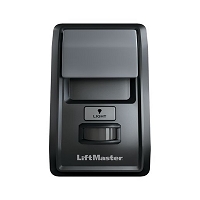
Some residential garage consoles use two wires for low-voltage power and coded communication. Those terminals are not necessarily a basic switch input. A damaged digital-bus cable can interrupt or corrupt communication, but shorting the terminals is not an appropriate test unless the exact operator documentation permits it.
When approved, a short known-good cable between the compatible console and operator can isolate the field wiring. If operation becomes stable, the installed cable or its terminations are defective. If the fault remains, verify console compatibility, polarity, connectors, and the board input before selecting replacement electronics.
Technician’s Corner
The Board May Be Responding Correctly
A random opening does not automatically indicate a defective logic board. If the OPEN input LED activates at the same time, the board may simply be processing a false external command exactly as designed.
One Shared Input Can Hide Several Possible Sources
When multiple devices share an OPEN terminal, disconnecting the wall button alone may not remove a wet keypad cable, stuck receiver relay, or timer output. Map every conductor and accessory on the input before replacing parts.
Surge Damage Can Affect the Cable or One Input
Lightning and nearby surge events may damage field wiring, accessory relays, or a single board input while the motor and radio continue operating. Inspect surge-exposed cable routes and outdoor interfaces after storm-related failures.
Before You Replace the Console or Control Board
- Record the operator model, installed board number, and control-device part numbers.
- Identify every accessory connected to the affected input.
- Verify dry-contact versus digital communication.
- Check terminal assignments, polarity, NO/NC logic, and relay pulse mode.
- Inspect staples, sharp edges, splices, conduit entries, and cable movement points.
- Look for corrosion, moisture, insects, damaged insulation, and loose strands.
- Observe board input indicators during the fault.
- Use only the manufacturer-approved branch-isolation or short-cable procedure.
Related Technical Categories
- Wall Consoles and Push Buttons
- Gate Operator Control Stations
- Low-Voltage Wire and Connectors
- Access-Control Relays and Interfaces
- Control Boards and Logic Boards
- Receivers and Wireless Controls
Parts-selection advisory: Verify the operator model number, control-board generation, console or station part number, voltage, wireless frequency when applicable, connector type, polarity, terminal function, contact logic, cable type, and operator generation before selecting replacement hardware.
Tagged Products


